I’m an experienced developer, but I had never touched a game engine before, so when a friend of mine started playing around with Godot and showed me his progress, he made me want to try it myself!
First steps
I started by following this tutorial to make a simple vampire survivor-like game. The goal was to gain an understanding of the main concepts of Godot so that I could later explore and figure out what to search for on my own.
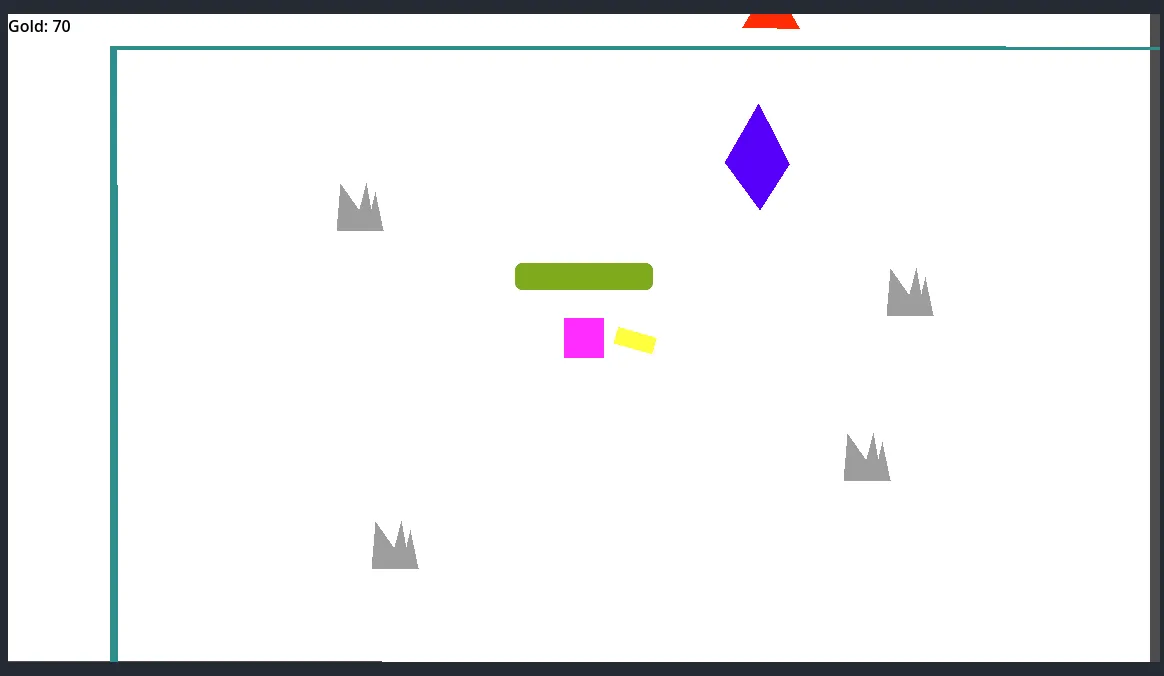
screenshot from the game, the pink square is the player, the red triangles are the enemies, and the purple shape is a portal
The tutorial covered basic movement, spawning bullets, enemy health, enemy spawning, collisions, and a few other topics.
I then went a bit further and implemented a portal that teleports you to another scene where you can upgrade your damage or rate of fire, or heal yourself by spending the coins you earned by killing the evil triangles.
It was fun, and it didn’t feel too complicated. GDScript, the custom Godot scripting language, felt relatively close to my programming skill set.
First true game
With the basics covered, I then moved on to my first real game. I was a huge fan of the flash game Age of War growing up, so I wanted to do something similar.
I decided to go with the pirate theme. A friend of mine made sprites for two pirates, one with a sword and one with a gun, and my girlfriend made a pixel art background as well as two tents with different degrees of damage to represent the health of each base. I only had to draw the simple HUD and icons myself.
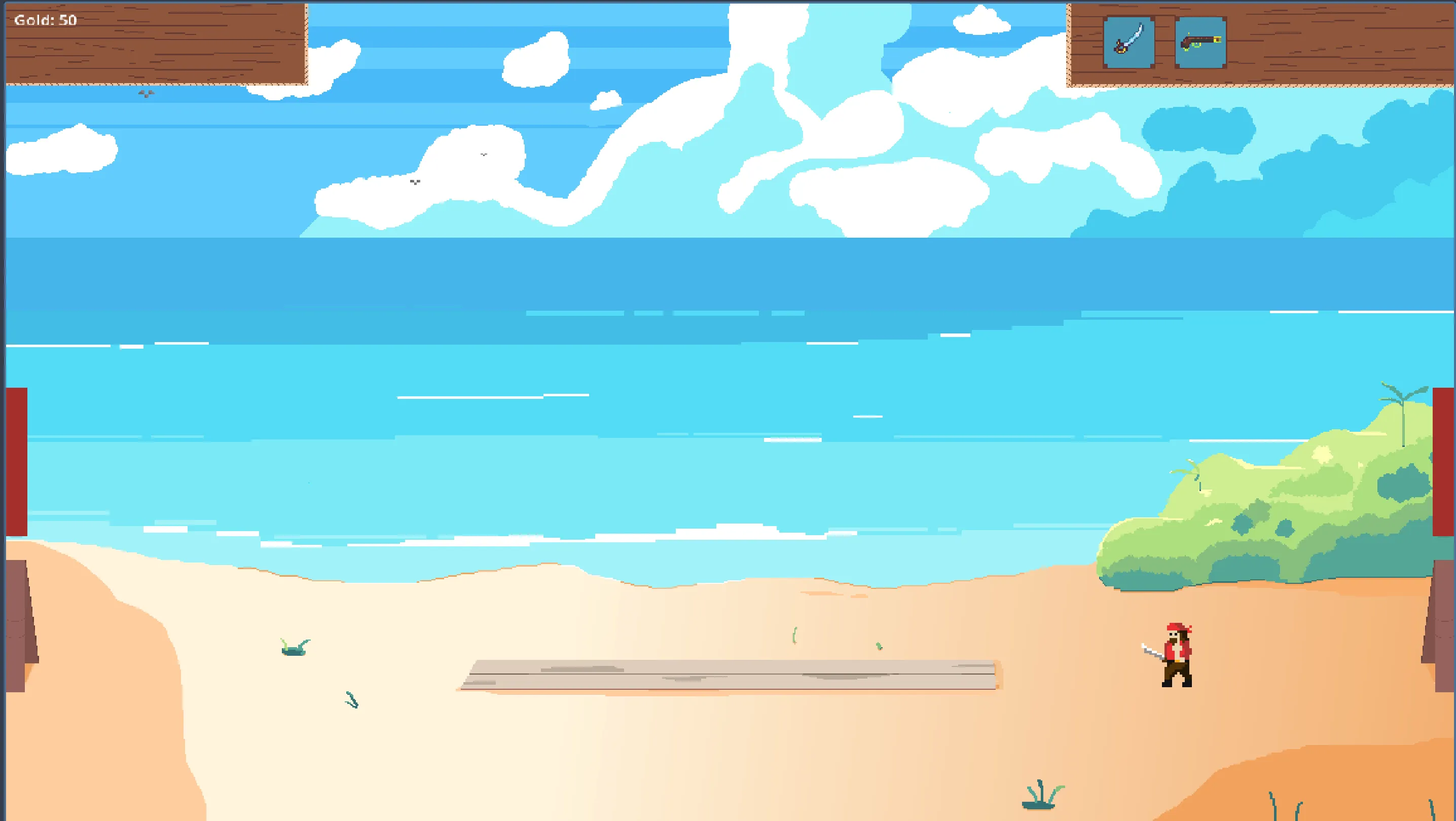
Screenshot from the game, heavily inspired by Age of War.
There is a regular pirate using a sword, and a second one with a gun, who can attack from behind his buddies. Every time you kill an enemy, you get some gold coins to recruit more troops. The tents get progressively more destroyed when the health of the base decreases.
This is still a simple game, but by including sprites, animations, some HUD, a game loop, an AI to play against you, etc., I played with a lot more concepts of Godot, and I started being quite familiar with it.
This game is far from over! I plan to add at least a few things:
- A third unit type (probably a super big one, very tanky), I want to make a character in pixel art myself
- Some turrets to shoot down approaching enemies
- Maybe an upgrade system for your troops
- A second stage, once you destroy the enemy base
- An ultimate to help clear the enemies when you’re in a dire situation
- A better enemy AI because it’s currently not very good
Impressions on Godot
So, after those two “games”, if we can call them that way, what are my first impressions of Godot?
With my programming background, GDScript doesn’t feel complex at all, it matches what I already know, so I was able to start coding rapidly.
There are a few things configured via the editor, like connecting some signals to a listener function or setting up collision masks and layers, and I really don’t like that! It reminds me a lot of the first time I programmed an iOS app with XCode, in both cases, you can do a lot without a single line of code, but everything that is done through the interface and not in code feels way harder to debug.
If you encounter an issue between two objects, you might have to check the script of either of the scenes, or maybe you need to interact and check the signals from the scene, or if the instance of that scene was overwritten and does not use the default masks that were set.
You can do all of that through code, but it feels clear that it was not the intended way. I find it not easily readable and quite error-prone. But it’s doable, and I’ve actually had to do it for both the signals and the collisions on some special occasion. So now I have some signals declared through code, some via the interface, and the same for the collisions masks and layers, that’s a bit of a mess.
Debugging or just setting up experiments while developing is also not that simple, but I bet this will get easier with time. I might need to create a few scenes made specially for trying things out and launching the game through those instead of the regular game loop.
Finally, I also had a few doubts about how to put some gameloop / gamestate logic code. My understanding is that most code should be in a script attached to a scene. It’s possible to create other scripts and to link them in another file, but it felt a bit clunky compared to my experience with some web frameworks.
It’s a bit funny because this is so different from the code I’m used to writing. I usually run queries that are short-lived, fetch some data from a database, execute some actions, then send some data back to the DB. I try to make most functions stateless and avoid side effects at all costs. Most of those principles are still very solid when writing a game, but at its core, the game is plenty of objects interacting together to modify a central game state in memory in a very long process.
It might sound like I had a lot of issues with the engine, but I actually really enjoyed it. Nothing felt particularly weird, it was very intuitive, and the fact that I wasn’t surprised by anything is a good thing to me. I like predictive software, I don’t want to be surprised!
Conclusion
All in all, I had lots of fun trying the engine, and I will stick with it.
I want to finish my Age of War-like game, and would also like to participate in a GameJam next year, even tho I’m quite intimidated by it, I’m not sure I can accomplish a lot in one weekend!
I also have some game ideas in my mind on the background… Maybe one day one will end up released on Steam?